 Capitelist Help Center
Help category
Basics
Core screens to understand before you start adding records.
Articles
Guides in this category
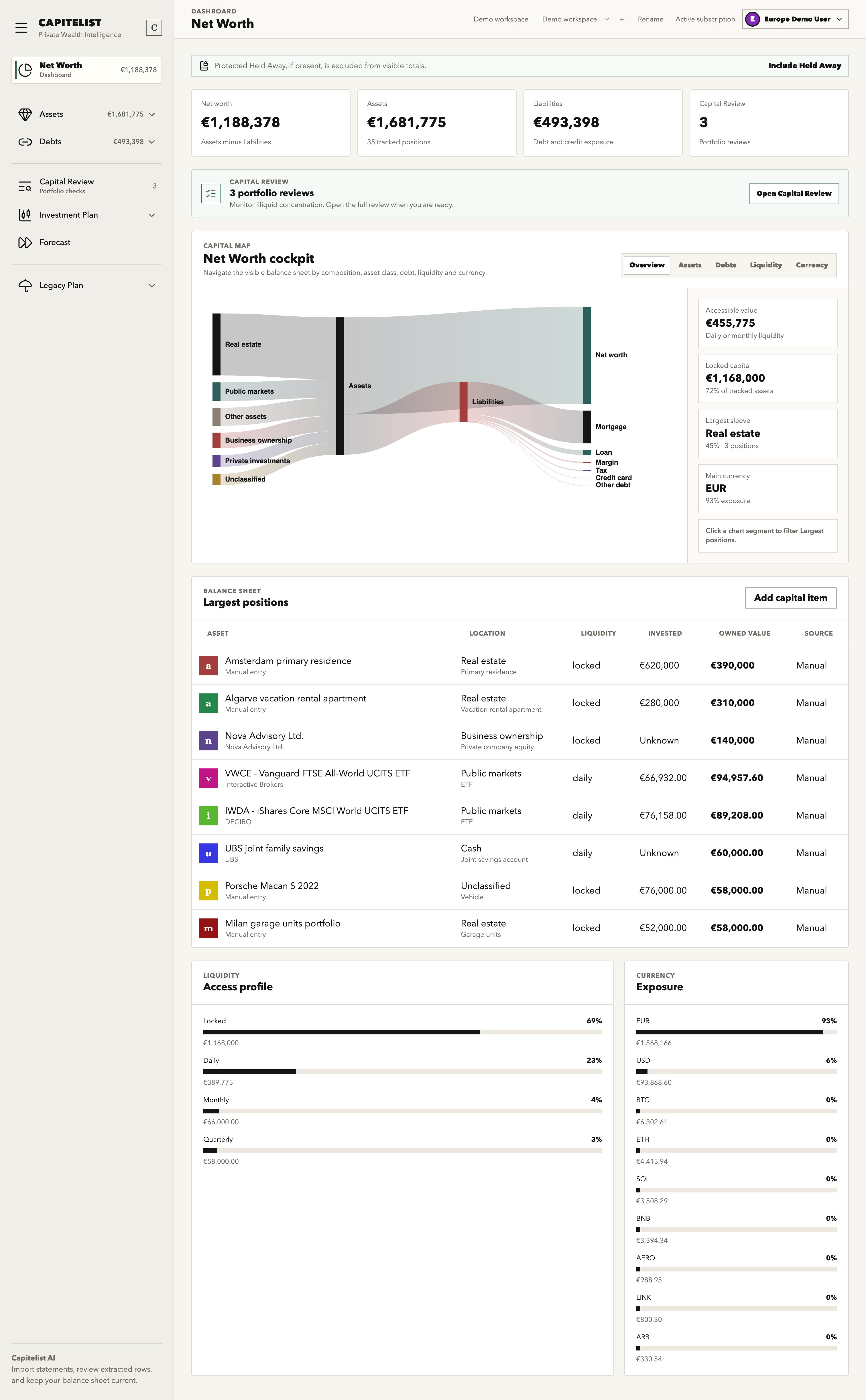 BasicsStep-by-step guideNet Worth Dashboard
Use Net Worth as the command center for assets, liabilities, allocation, liquidity and recent movement.
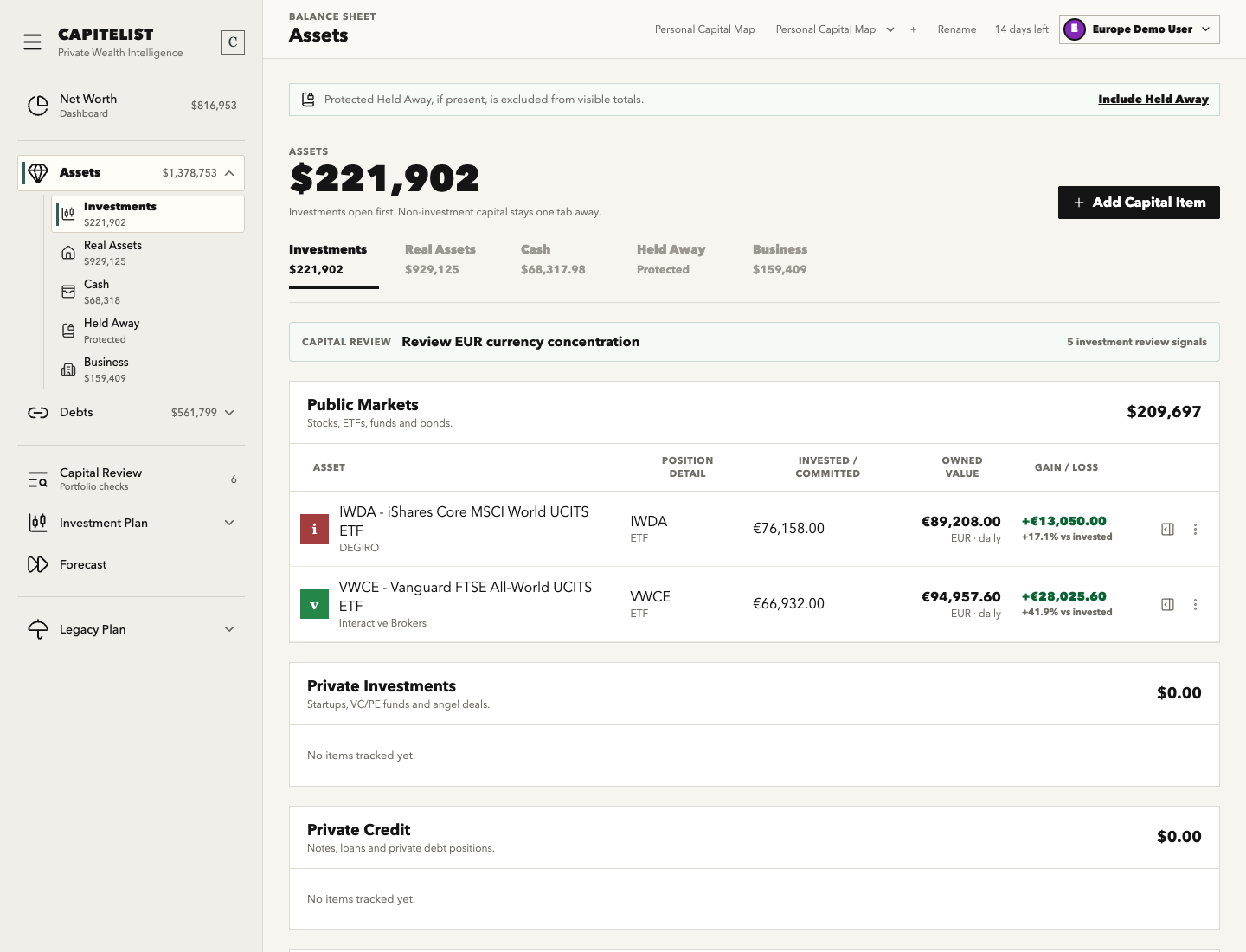 BasicsStep-by-step guideAssets Overview
Assets is the working ledger for public markets, private investments, real assets, cash, business interests and unclassified records.
BasicsStep-by-step guideAdd a Public Markets AssetAdd a stock, ETF, fund or bond position with enough metadata for valuation, allocation and movement review.
BasicsStep-by-step guideAdd a Real Estate AssetAdd property with ownership, geography, valuation and linked-debt context so net worth is not just broker assets.
BasicsStep-by-step guideEdit an Asset ValuationUpdate an asset's value, date and valuation method while keeping the source and portfolio impact understandable.
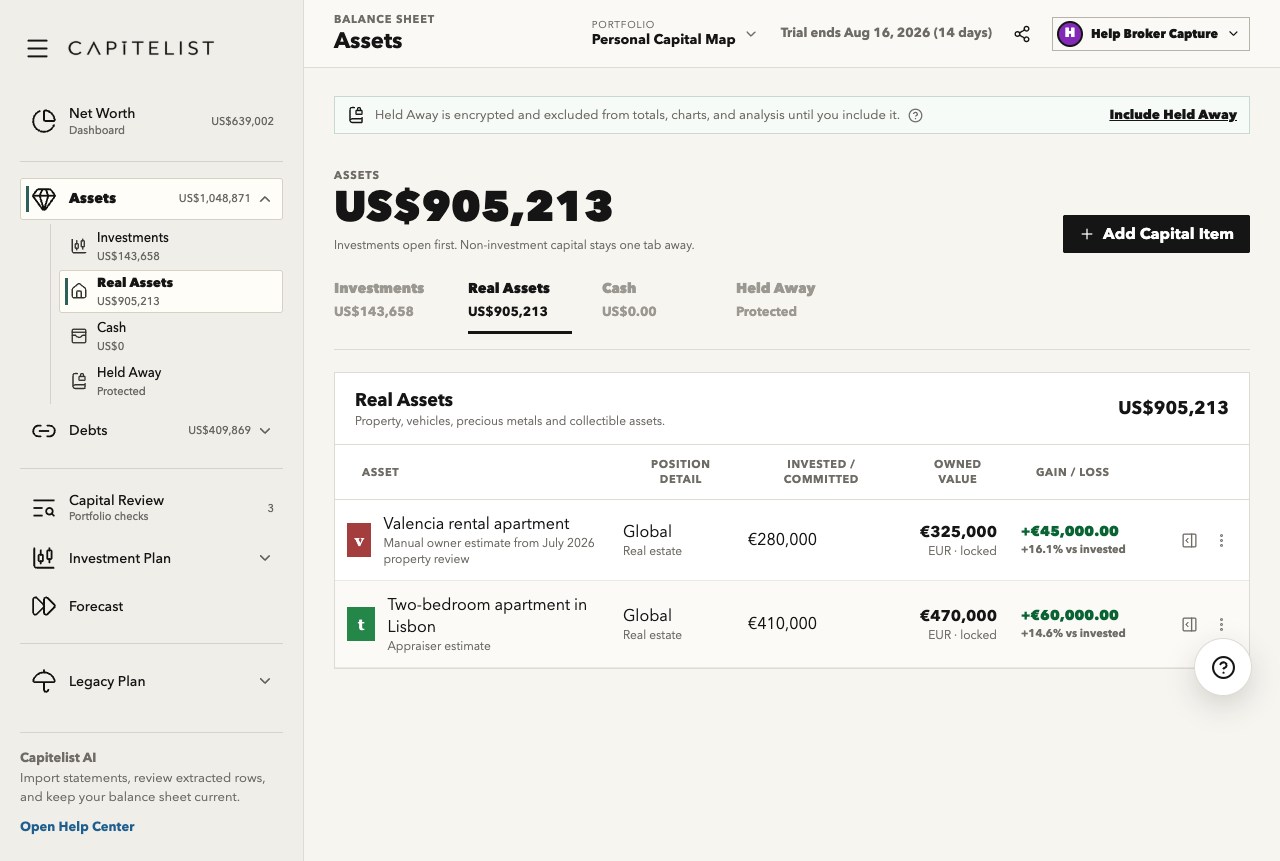 BasicsStep-by-step guideReal Assets
Track property, vehicles, collectibles and other tangible assets with ownership, geography, valuation and related debt context.
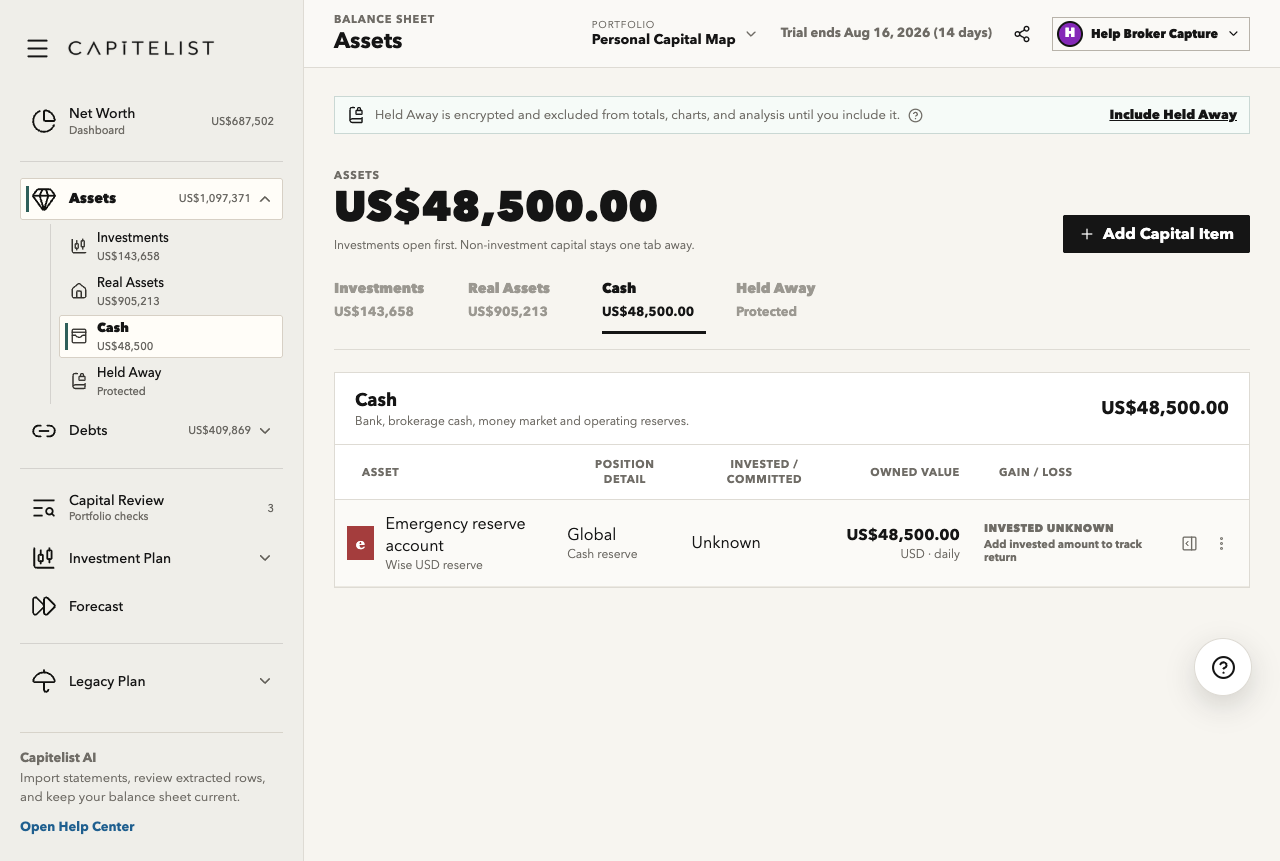 BasicsStep-by-step guideCash and Bank Accounts
Track bank balances, currencies and emergency liquidity without mixing cash with return-seeking investments.
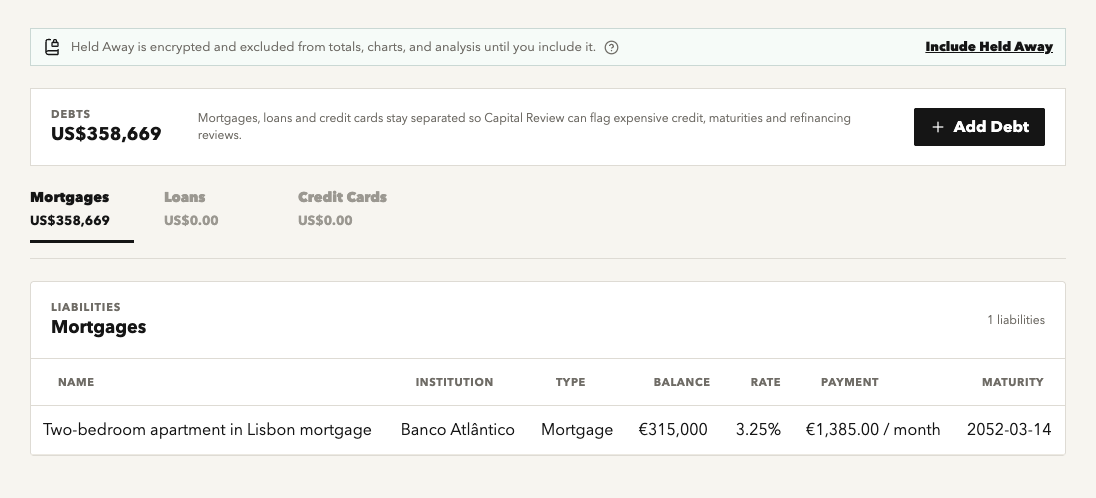 BasicsStep-by-step guideDebts Overview
Track mortgages, loans, credit cards and unclassified liabilities alongside the assets they finance.
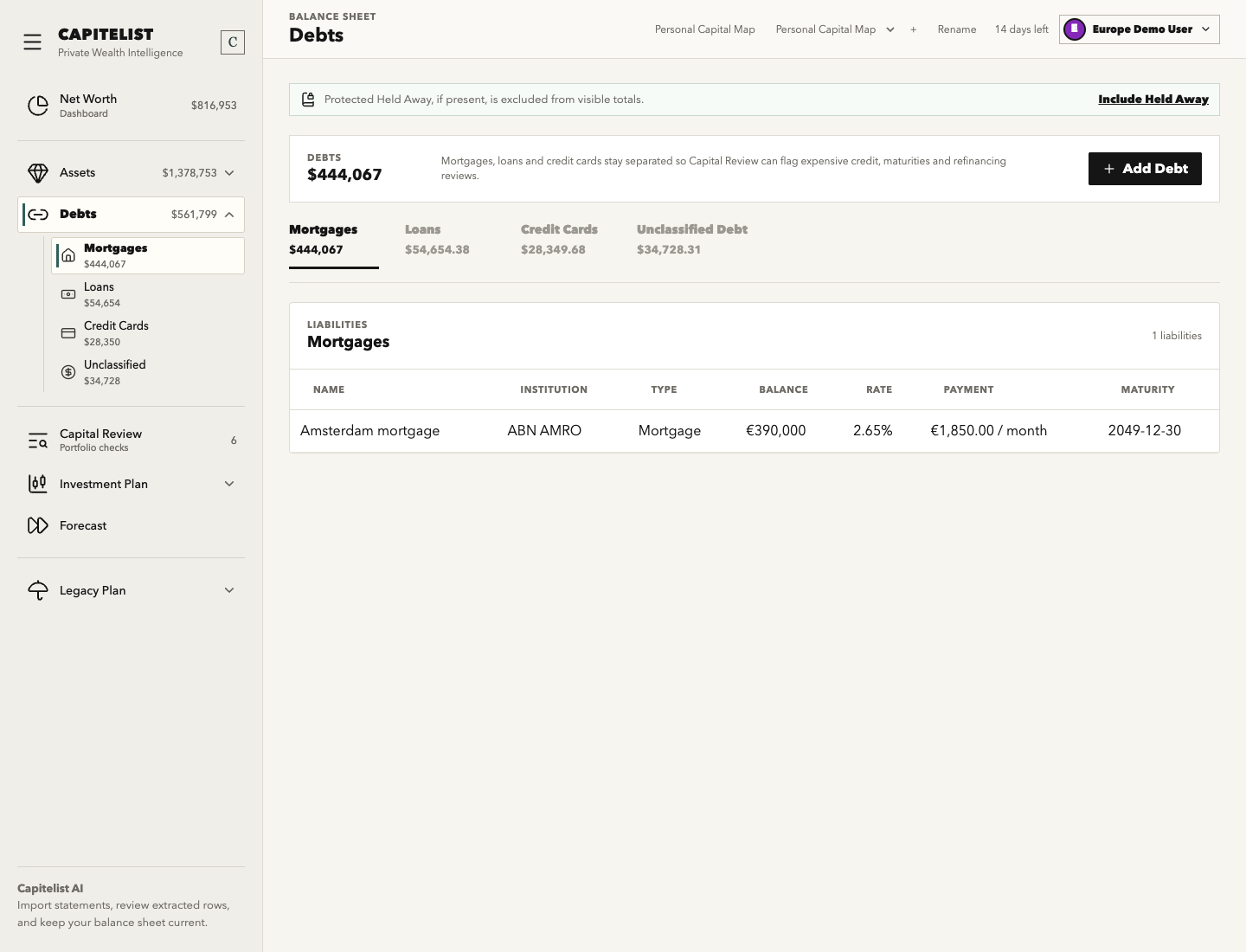 BasicsStep-by-step guideAdd a Mortgage
Add a property-backed liability with balance, rate, payment and linked real-asset context.
BasicsStep-by-step guideAdd a Loan or Credit CardRecord consumer, margin, business, tax or credit-card liabilities with enough terms for review.
BasicsComing soonProfile, Base Currency and Number FormatSettings controls personal details, portfolio display preferences, account access and billing entry points.
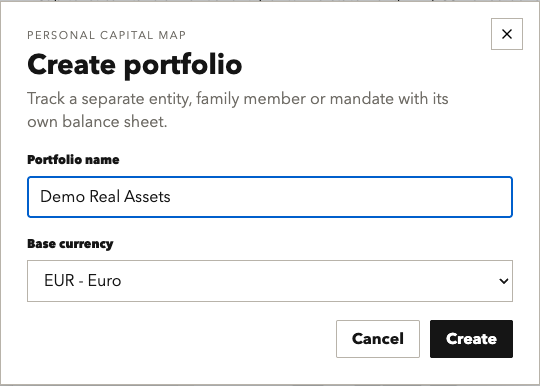 BasicsStep-by-step guideCreate a New Portfolio
Create a separate balance sheet for a person, entity, strategy or reporting structure.
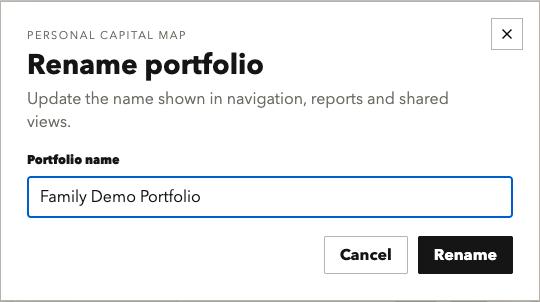 BasicsStep-by-step guideRename a Portfolio
Update a portfolio label without changing the underlying records or ownership assumptions.
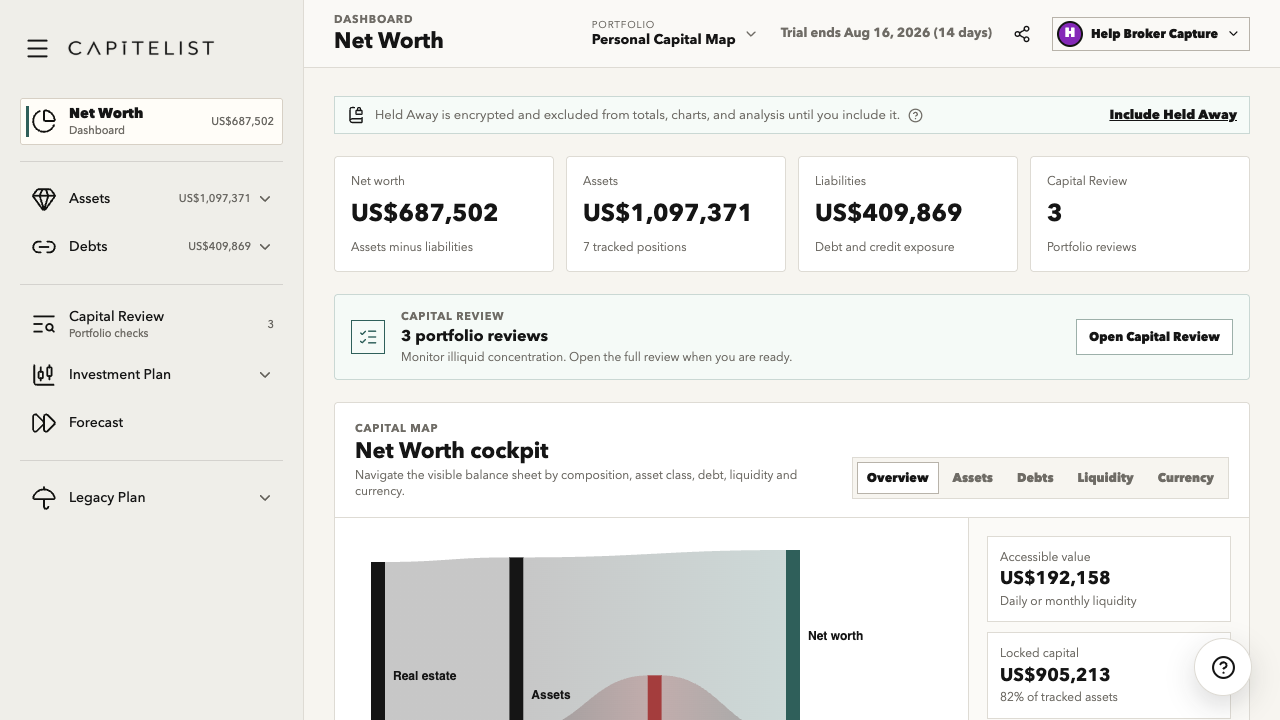 BasicsStep-by-step guideRead Net Worth Summary Cards
Interpret headline net worth, total assets, liabilities, liquidity and movement before opening detail tables.
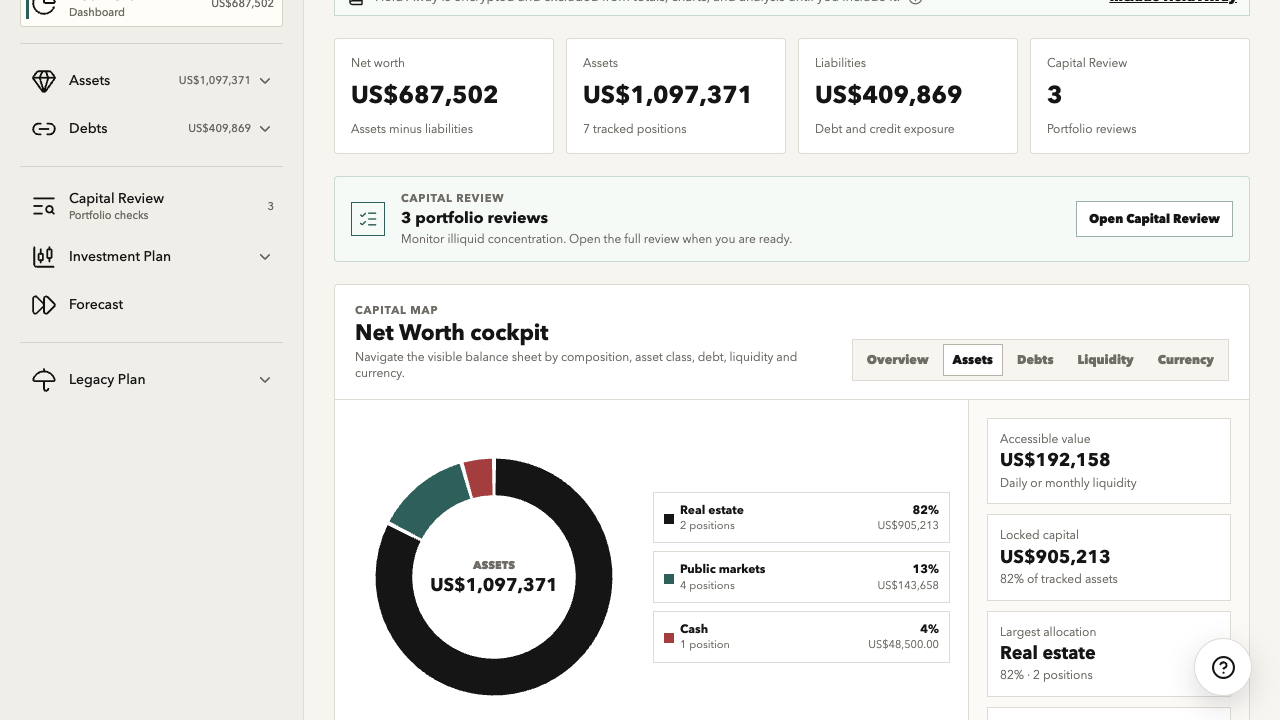 BasicsStep-by-step guideReview Allocation by Asset Class
Use allocation views to understand concentration across cash, public markets, private investments, real assets and other holdings.
BasicsStep-by-step guideAdd a Cash or Bank AccountRecord a cash, bank, treasury, Wise or Revolut account as part of current net worth.
BasicsComing soonUpdate a Cash BalanceRefresh a manually maintained cash account using a recent statement or verified balance.
 BasicsStep-by-step guideAdd Crypto Held on an Exchange
Record exchange-held crypto as a normal asset when custody details are not private recovery instructions.
BasicsComing soonClassify an Unclassified AssetMove an imported or rough asset into the correct asset type so dashboards and reviews interpret it correctly.
BasicsComing soonEdit Asset Primary DetailsUpdate an asset name, institution, type, geography, ownership or other core identity fields.
BasicsComing soonAttach a Document to an AssetConnect statements, appraisals, invoices or reports to an asset record for future review.
 BasicsStep-by-step guideAdd a Credit Card Liability
Record a credit card balance as a liability instead of netting it manually against cash.
BasicsComing soonUpdate a Debt BalanceRefresh a mortgage, loan or credit card balance from a lender statement.
BasicsComing soonClassify Unclassified DebtMove imported or rough liability rows into mortgages, loans or credit cards.
BasicsComing soonChange Base CurrencySet the workspace display currency used for totals, dashboards, exports and planning views.
BasicsComing soonChange Number FormatChoose decimal and thousands formatting that matches your locale.
BasicsComing soonManage SubscriptionOpen billing or subscription controls to review plan status, renewal and payment management.
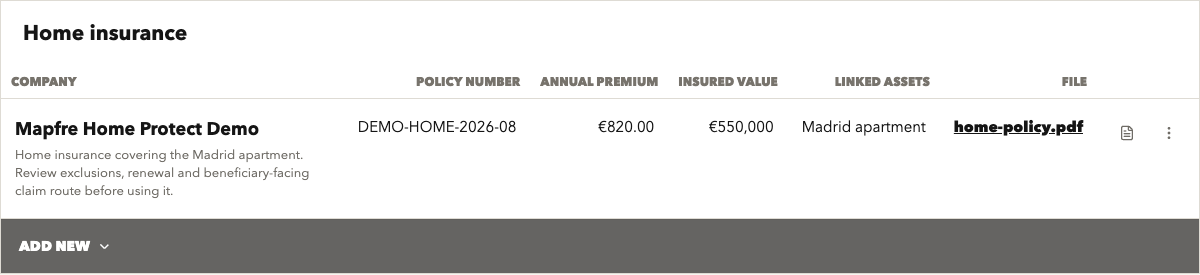 BasicsStep-by-step guideAdd an Insurance Policy
Record life, property, liability or other insurance coverage with carrier, value and review status.
BasicsComing soonEdit an Insurance PolicyUpdate insurance coverage, premium, beneficiaries, document status or review notes.