 Capitelist Help Center
Help category
Security
Private data, recovery, access and legacy-protection workflows.
Articles
Guides in this category
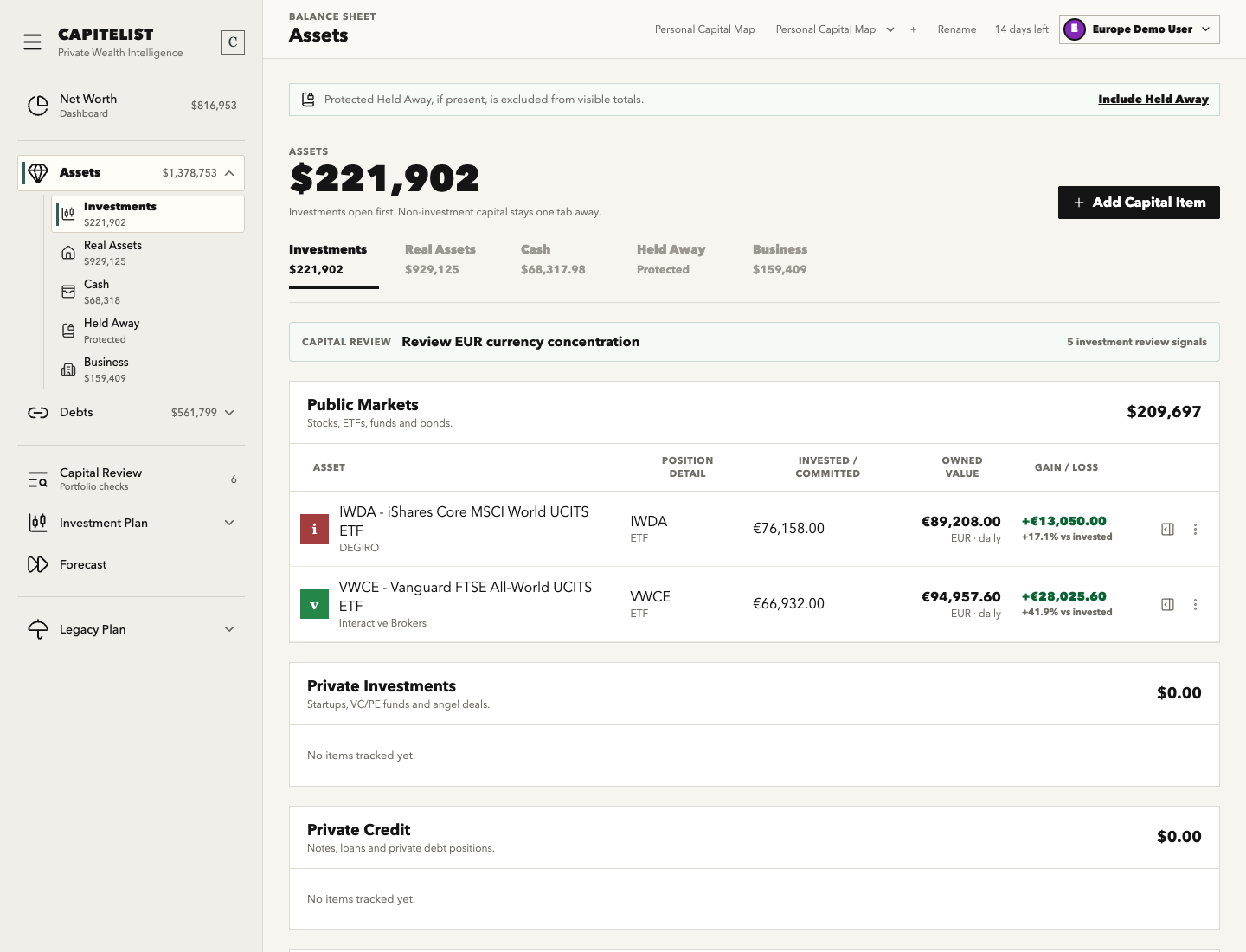 SecurityStep-by-step guideAdd Held Away Cold Wallet Crypto
Record self-custodied crypto value while keeping wallet access details, recovery instructions and private context protected.
SecurityStep-by-step guideAdd Held Away Metals, Cash or CollectiblesTrack private physical assets whose existence or access details should not be exposed through normal portfolio views.
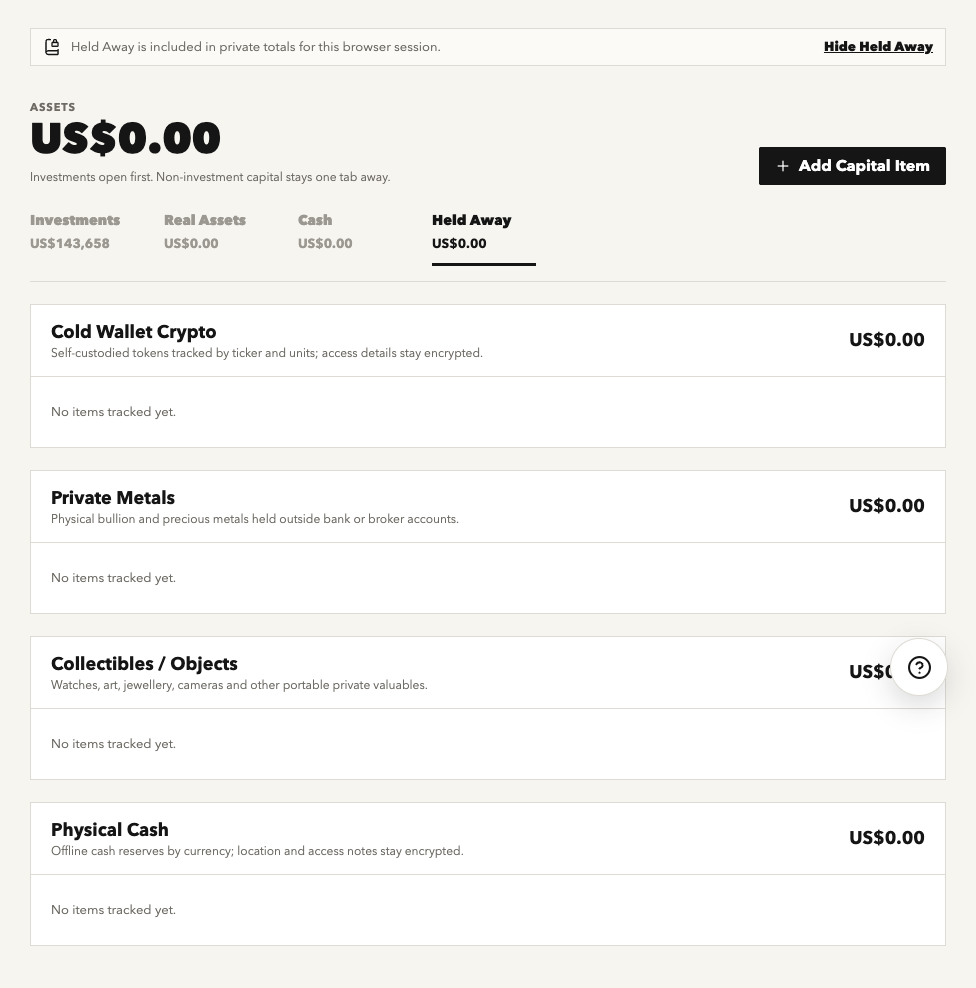 SecurityStep-by-step guideHeld Away Assets
Use Held Away for private assets whose values may belong in net worth while access details must remain protected.
 SecurityComing soonLegacy Delivery Protocol
Configure the inactivity-based process that helps trusted people recover essential information if the owner cannot respond.
SecurityComing soonTrusted ContactsManage beneficiaries, continuity guardians and other trusted roles used by Legacy Delivery.
SecurityStep-by-step guideAdd a Beneficiary or Continuity GuardianChoose the person who receives your Legacy Delivery package and the backup person who can help if the beneficiary does not respond.
SecurityStep-by-step guideActivate the Legacy Delivery ProtocolTurn on delayed check-ins after you have a beneficiary, a Continuity Guardian and a clear release path.
SecurityComing soonLegacy InstructionsWrite plain-language guidance for trusted people while keeping actual secrets inside protected storage.
SecurityComing soonDocuments VaultStore supporting documents for legacy, insurance and portfolio review with category and access context.
SecurityComing soonSafeboxSafebox groups protected private-vault records for Held Away and Legacy use cases.
SecurityComing soonRecovery Key and Private UnlockRecovery Key and private unlock protect Held Away, Safebox and Legacy-sensitive data.
SecurityStep-by-step guideCreate and Store the Recovery KeyCreate your Recovery Key and store it outside Capitelist so protected Held Away, Safebox and Legacy data remain recoverable.
SecurityComing soonUsers, Invites and RolesUse user management to invite collaborators while keeping sensitive owner-only boundaries intact.
 SecurityStep-by-step guideAdd a Collectible or Valuable Object
Track art, watches, jewellery, cameras or other private valuables with appropriate privacy controls.
 SecurityStep-by-step guideAdd Precious Metals
Record bullion, coins or allocated metals while separating value tracking from storage instructions.
SecurityComing soonConfigure Legacy Check-In CadenceSet the inactivity window used by Legacy Delivery before trusted-contact actions become relevant.
SecurityComing soonAdd a BeneficiaryCreate a beneficiary contact for Legacy Delivery with appropriate release scope.
SecurityComing soonAdd a Trusted AngelAdd a trusted operational helper who can assist with continuity without receiving unnecessary private detail.
SecurityComing soonComplete a Legacy Check-InConfirm the owner is active so Legacy Delivery does not progress unnecessarily.
SecurityComing soonEnable Legacy Travel ModePause or adjust Legacy Delivery expectations during temporary travel or planned unavailability.
SecurityComing soonSend a Legacy Test EmailTest whether Legacy Delivery contact emails can be reached before activating the protocol.
SecurityComing soonCancel Legacy Delivery ProtocolTurn off an active Legacy Delivery workflow when it should no longer run.
SecurityComing soonUnlock Private Vault DataUse private unlock to view protected Held Away, Safebox or Legacy-sensitive information.
SecurityComing soonCreate a Private Vault PasskeyAdd a device passkey for easier private unlock while keeping the Recovery Key as the continuity method.
SecurityComing soonRevoke a Private Vault PasskeyRemove a passkey from private vault access when a device or account should no longer unlock sensitive data.
SecurityComing soonCreate a Private Vault ItemStore sensitive operational context in protected storage instead of ordinary portfolio notes.
SecurityComing soonEdit a Private Vault ItemUpdate protected details when access instructions, contacts or storage context change.
SecurityComing soonDelete a Private Vault ItemRemove protected information that is obsolete, duplicated or should no longer be retained.
SecurityComing soonInvite a UserInvite a collaborator with a role and portfolio scope instead of sharing credentials.
SecurityComing soonChange a User RoleUpdate a collaborator's access when their responsibilities change.
SecurityComing soonRevoke User AccessRemove a collaborator's workspace access when they should no longer view or edit portfolio data.
SecurityComing soonUnderstand Role PermissionsUnderstand what owner, admin, editor and viewer style roles can and cannot do.
SecurityComing soonUpload a DocumentAdd a portfolio, legacy, insurance or asset document with clear source and category context.
SecurityComing soonCategorize a DocumentSet document category so legacy, insurance and portfolio records can be found later.
SecurityComing soonDelete a DocumentRemove a document that is obsolete, duplicated, uploaded by mistake or too sensitive for the current vault.